
6 WordPress plugins that help your blog’s maintenance
Ever heard of the broken windows theory? Basically it says that external signs of vandalism encourage bad behavior. Some say that websites would obey the same rule, comment spam and broken links being the broken windows of the internet. If your website is based on WordPress, here are a few plugins to help you keep a neat blog.
1. Broken link checker
After months or years of blogging, some links on your blog will be broken for sure. Find broken links on your WordPress blog automatically with this plugin and save yourself a bunch of time.

2. WP AntiVirus
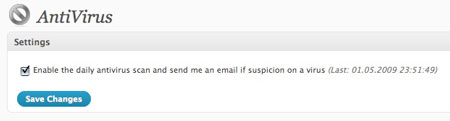
A plugin that checks your WordPress theme for malicious code. You can enable a daily scan of your blog to be alerted whenever someone inserts malicious code. I’ve had one of my other blogs excluded of Google’s index because of code inserted in the theme, this would have saved me in that case.
3. Akismet
The ultimate spam-fighting tool for WordPress, already eradicated more than 62’000 comment spam on Designer Daily. Just imagine how much time I saved with this.

4. www Redirect
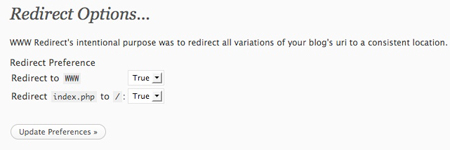
If you are not comfortable with tweaking your blog’s .htaccess file, this plugin will help you to redirect all urls to the settings of your choice (www or not). Using this can help to avoid Google thinking that your site has duplicate content.
5. WP Database Backup
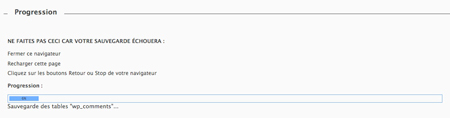
WordPress backups made easy. This plugin lets you
6. WP Security Scan
Checks if your WordPress installation is secure looking at various factors (password strength, database security,…).



Some great plugins there, looks like.
I want to try broken link checker right away. I’ve had a site hacked in the past, too, so WP Anti Virus could be a great tool.
excellent links, I use most of them, I will try the others
)
thanks for helpful plugins..
I’ve been using WordPress Automatic Upgrade on several of my sites and it’s great. It automatically walks you through the upgrade process, with minimal work on your part. I can do the manual upgrade, but why when there are plugins like this one is my thinking.
Definitely worth checking out.
Nice pluggins, very tks for share
Nice plugins and thanks for sharing.
Nice list. There were some plugins on here that I haven’t heard of and will definitely check out. Thanks.
thanks a lot this roundup is great specially the anti-virus! it will save you some pain in the ***
I can’t believe this – great site man/woman! I’ll definitely be adding this to my rss feed list. You do have a rss feed right?
The most used is WP database backup
some nice tips, thanks!
thanks for sharing i loved the blog.
Very nice Post! Really love it your post! thank you very much for your Information
Thanks.Good artickle.
thanks for helpful plugins..
one minute tayyip : )
Some nice tips, thanks!
The Blog Dr. can help you manage your WordPress blog with expert tips and advice. Visit this link to see how you can become more efficient at running your blog.
Click Here –> http://bit.ly/3bGDtf
If you need more in-depth tips and tools for managing your WordPress blog, please visit this link. The Blog Dr. can show you how to run your blog competently and creatively!
Click Here –> http://bit.ly/3bGDtf
Blogging 101 w/ WordPress Workshop lead by the Blog Dr.
Visit the link below to get the latest tips and advice for running your WordPress blog by the Doc. A must see for any and all who blog.
Check it Out –> http://bit.ly/3bGDtf
Really Nice Post, Just Read this News from my feedburner news reader feed,Especially I like this site Design Interface.
Very user friendly design.
Kind Regards,
David
Some nice tips, thanks.
thanks for helpful plugins
,..] http://www.designer-daily.com is other interesting source of information on this topic,..]
ne yazsam onaylayacaksin onun icin onemi yok.
A great alternative to WP Database Backup is WP S3 Backups. It back ups your database, theme files, uploaded files and anything else you specify automatically to Amazon’s S3 storage. It’s simple to restore a backup too. Plus S3 costs only pennies a month. This plugin has become the replacement for WP Database Backup on all my sites.
