
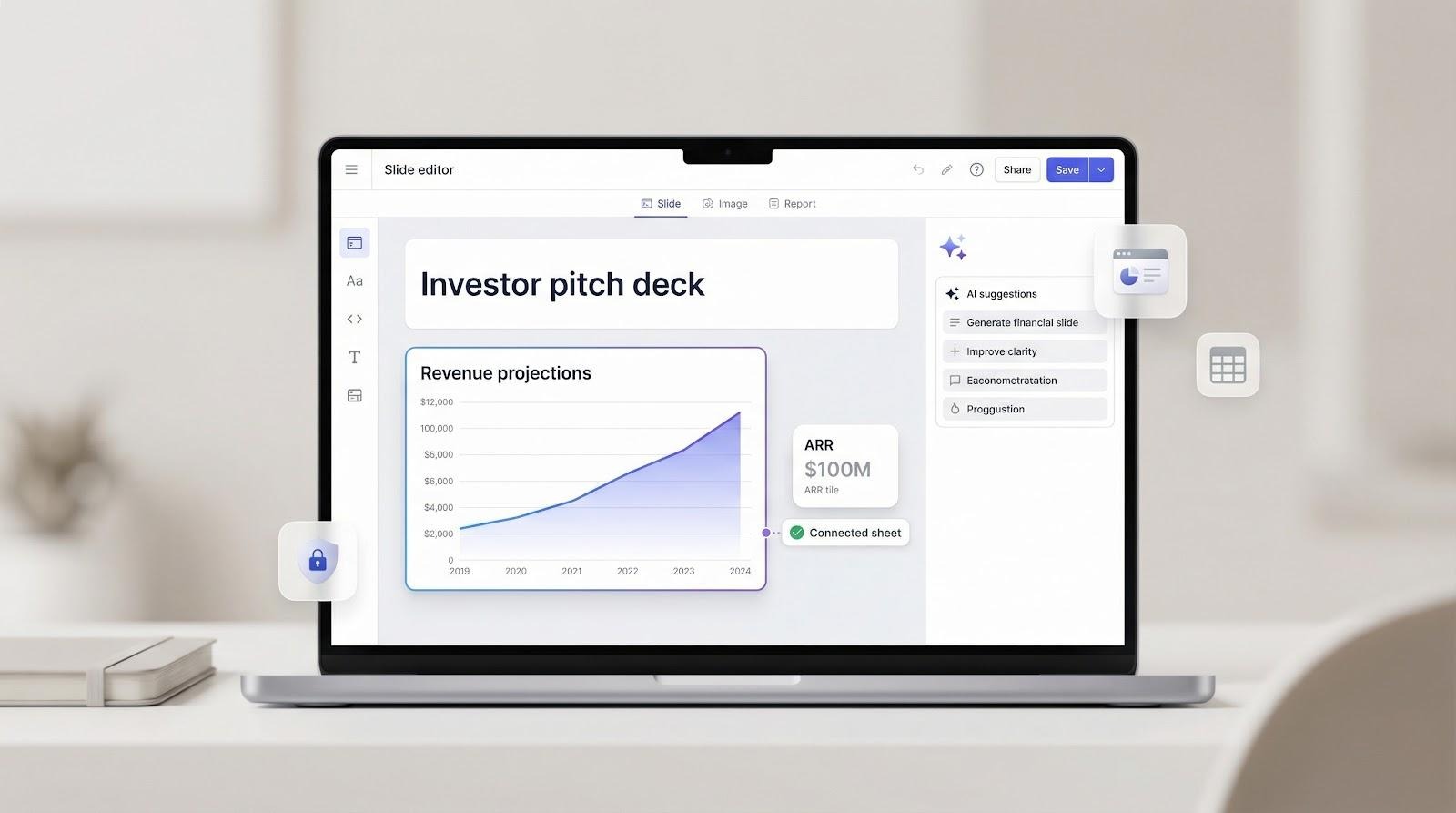
Crafting an investor pitch deck can swallow a day you don’t have. A new crop of AI pitch deck tools now drafts full presentations in seconds: Gamma alone signed up 10 million users in nine months, proof that speed sells. But design is only half the job—you also need airtight financial slides, solid data security, and workflows that live inside the apps you already use. We tested dozens of platforms, scored the ten best, and built this guide to help you pick (and sanity-check) your next AI co-pilot.
How we ranked the tools
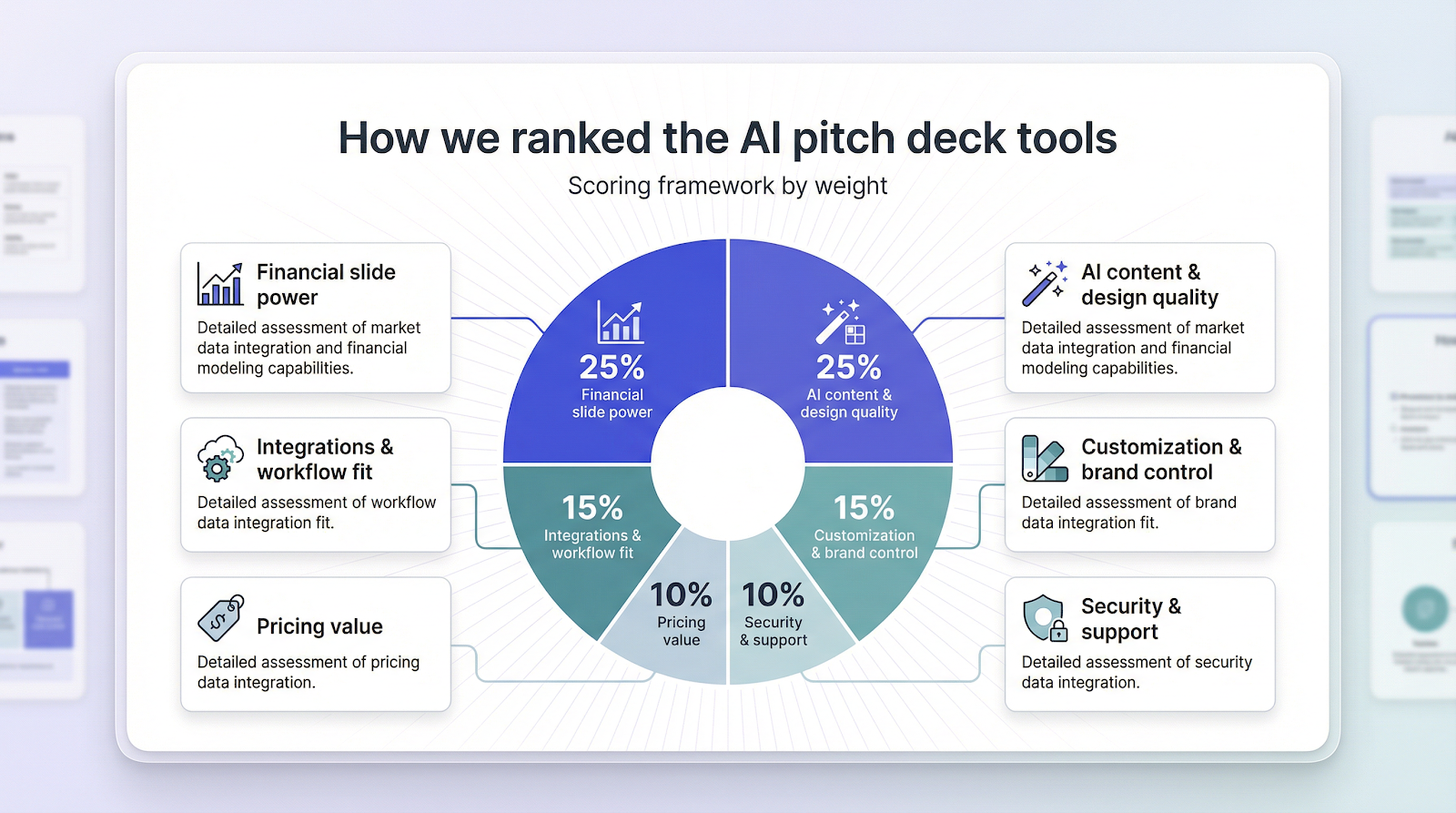
We skipped first-glance polish and built a scorecard rooted in what startup teams care about most, then put every AI pitch deck tool through the same test.
First, we counted financial slide power and AI content + design quality at 25 percent each. If a platform fails to chart revenue or fills slides with bland copy, it sinks quickly.
Next was integration and workflow fit at 15 percent. Your deck should move straight from Google Slides, PowerPoint, or a linked spreadsheet; a walled-off workspace slows everyone down.
We assigned another 15 percent to customization and brand control. Templates get you to a seed round, but Series A investors expect colors, fonts, and tone that feel intentional.
Finally, pricing value and security plus support earned 10 percent apiece. Budgets are tight, and no one wants to put sensitive metrics at risk.
Those weights create a clear, side-by-side ranking that appears in the next section.
Snapshot comparison table
Before we examine each platform, here’s a quick cheat sheet.
| Tool | Best if you want… | Financial-slide grade | Starting price |
| Plus AI | AI inside PowerPoint/Slides | Strong | $15/mo |
| Upmetrics | Built-in forecasting guidance | Strong | $7/mo |
| Slidebean | Startup-tested slide structures | Moderate | $12.50/mo (annual) |
| Beautiful.ai | Designer-quality layouts | Moderate | $12/mo |
| Canva | Free, flexible visuals | Weak | Free |
| Gamma | One-prompt draft in seconds | Moderate | Free / $9.99/mo |
| Storydoc | Interactive, personalized decks | Moderate | Custom |
| Pitch | Real-time team collaboration | Weak | Free / $12.99/mo |
| Prezi | Non-linear storytelling flair | Weak | Free / $12–16/mo |
| Templafy | Enterprise compliance control | Strong | Custom contract |
Grades show how well each AI pitch deck tool helps you create or present credible numbers, not overall quality.
Now that you have the overview, we’ll walk through the lineup one by one, starting at the top.
1. Plus AI: your AI co-pilot inside PowerPoint and Google Slides
With more than one million installs and 900-plus five-star reviews, Plus AI has become a go-to ai presentation maker for founders who build decks in Google Slides or PowerPoint. It feels like a hidden level rather than a separate app: install the add-on, write a short prompt or paste a page from your business plan, and it drafts a full investor deck with on-brand layouts and editable charts.
Where Plus stands out is finance. Drop a revenue table into the prompt and the tool converts it to a clean line graph, ready for quick color or label tweaks. Want the figures to stay fresh? Turn on Live Snapshots so the slide pulls data from the source whenever you open it.
Because the work happens in your usual editor, you can refine copy, add speaker notes, or invite co-founders to comment without messy exports. Pricing starts at fifteen dollars a month after a free trial; easy to expense, hard to outgrow.
Best for: founders who want AI pitch deck tool speed without leaving their current workflow.
2. Upmetrics: business-plan brains meet deck design
Upmetrics began as planning software, so its AI pitch deck tool thinks in cash-flow terms before it worries about slide colors.
Launch the pitch-deck wizard, answer a few prompts about revenue drivers, and the platform drafts each classic slide—problem, solution, market size, traction—and adds a five- to seven-year projection table. That built-in forecast helper stands out; few rivals guide your assumptions or chart them for you, as highlighted in a dorik.com roundup of AI pitch deck generators.
Design options are simpler than Canva, but every layout is investor-approved and editable. Pricing starts at seven dollars a month, making it the cheapest route to both a financial model and a ready-to-send deck in a single login.
Best for: first-time founders who need a nudge on what numbers belong in the deck and want them looking tidy without hiring a designer.
3. Slidebean: VC-friendly structure on autopilot
Slidebean earned its stripes by reverse-engineering famous decks such as Airbnb, Uber, and Buffer, then turning those slide orders into templates.
Its AI pitch deck tool can pull your website URL or a short summary and drop content into that proven flow. You get crisp titles, punchy bullet points, and placeholder visuals in under a minute.
On finance, the generator stops at a single “projections” slide with sample text. The workaround is a separate Excel model and, if you need it, human experts who can polish copy or sanity-check numbers for an extra fee.
Output looks good enough to share quickly, yet every element stays editable in the browser. An all-access pass runs about twelve dollars a month when billed yearly, making Slidebean a smart middle ground between raw DIY and full-service design.
Best for: founders who want investor-tested storytelling out of the box, plus room to tweak.
4. Beautiful.ai: design on rails, numbers on you
Beautiful.ai keeps every slide in an expert layout; colors stay consistent, and text never drifts off grid. Fire up DesignerBot, drop in a short prompt, and a sleek deck appears with titles, icons, and imagery harmonized without you nudging a margin.
Math is on you. The platform includes polished chart widgets but expects real data. Paste your Excel forecast, and the AI pitch deck tool converts those rows into a clean line graph.
That visuals-first focus keeps pricing friendly at twelve dollars a month for solo creators and the learning curve almost flat. For founders with solid numbers and no design time, Beautiful.ai offers the quickest route to investor-ready slides.
5. Canva: free-tier polish for lean teams
Canva is not pitch-deck specific, yet its reach and simplicity make it a go-to for strapped founders.
Open a startup-deck template, trigger Magic Design, and the AI pitch deck tool spreads generated text, stock photos, and icons across a dozen slides within seconds.
The trade-off appears on finance slides. Canva will not guess your forecast or suggest KPIs. Paste numbers into its chart builder or import a small CSV, then use brand-kit tools to keep colors and fonts aligned.
Because the core plan is free, you can prototype endlessly, share a link for live comments, and upgrade only when you need the pro brand kit at fifteen dollars a month.
Best for: teams that prize design freedom, have metrics ready, and prefer to spend cash on growth rather than software.
6. Gamma: one-prompt decks in a flash
Type “Series A pitch for a B2B AI platform” into Gamma and the AI pitch deck tool writes, designs, and sequences fifteen slides before you finish your coffee. That speed explains why millions joined last year.
The draft feels coherent, yet the AI invents any numbers you omit. Treat its revenue graph as a placeholder, swap in real metrics, and ask Gamma to rewrite the story around your data.
Presentations live in Gamma’s web viewer, so you keep animations and accordions that disappear in a PDF. Export is available, but formatting can shift, so plan to pitch from the link when possible. The free tier covers a few decks; unlimited generation costs about ten dollars a month.
Best for: founders who want a fast starting point and are happy to polish the details later.
7. Storydoc: turn your deck into an interactive microsite
Storydoc treats a pitch deck like a living web page. Slides stretch into vertical sections that scroll, animate, and even greet investors by name when you connect your CRM.
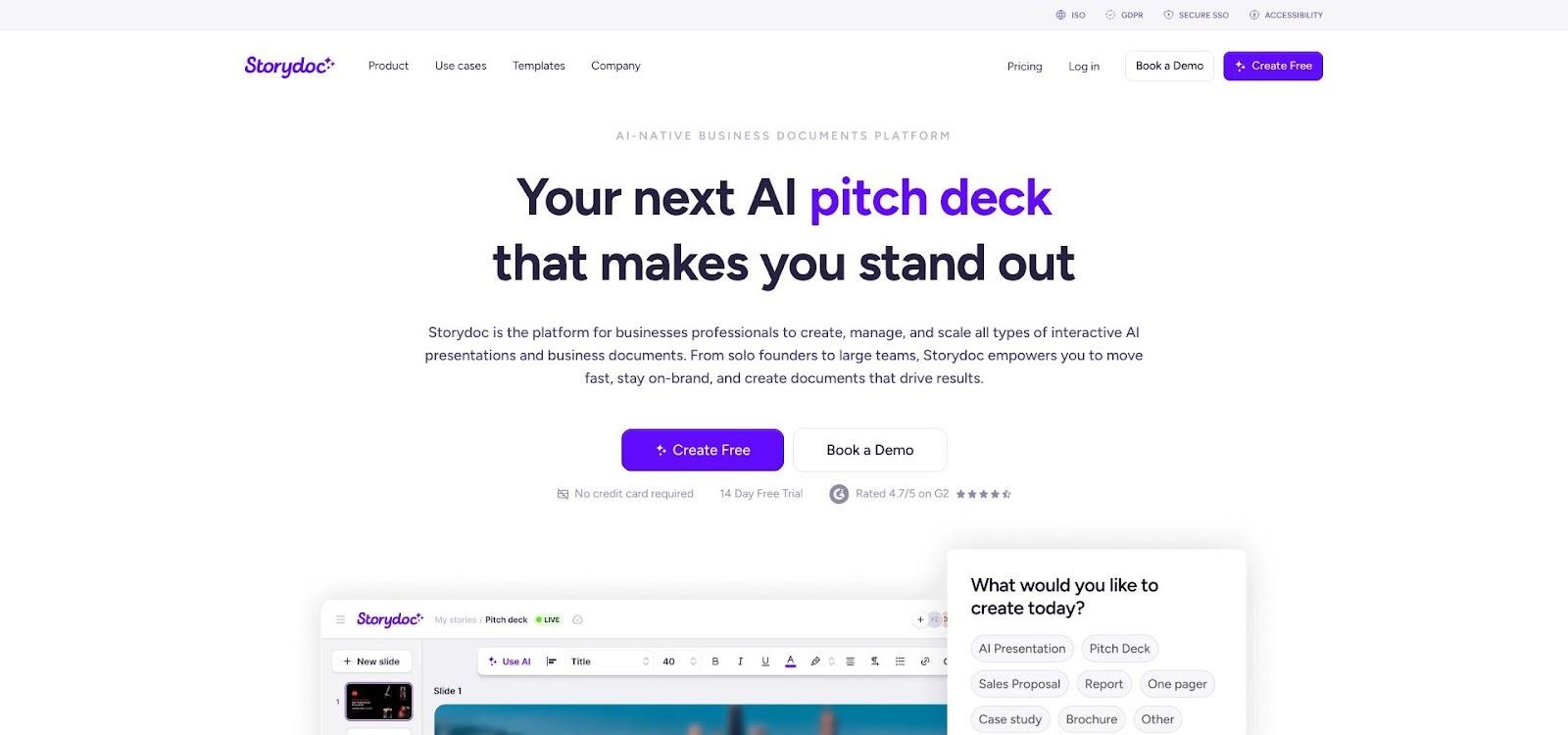
Storydoc interactive pitch deck microsite screenshot
The AI pitch deck tool gets you started: paste a landing-page URL or brief, and it drafts a storyboard with videos, charts, and slick reveal effects. Swap stock data for real metrics and drag in product GIFs or testimonials to finish the flow.
On finance, the platform lets you embed spreadsheets or use its data widgets, so charts stay sharp as investors zoom and scroll. It will not build your model, yet the presentation layer makes numbers feel more vivid than a static PDF.
Pricing is quote-based, but startups can often land a discounted plan by asking. Choose Storydoc when you want your pitch to feel closer to a product demo than a slideshow.
8. Pitch: collaboration first, slick design included
Pitch feels like Google Docs crossed with Keynote. Teammates can edit slides at once, leave comments, and jump on a built-in video call to rehearse—all without exporting a file.
Tap Generate with AI and the AI pitch deck tool sketches an outline plus draft copy. It acts more like a coach than a ghostwriter; you still refine each slide, but you never face a blank canvas.
For numbers, Pitch offers polished financial-table and KPI templates. Drop your figures in, and smart formatting keeps fonts, colors, and column widths aligned. There is no forecasting wizard, yet the live-editing flow makes iterating with your finance lead simple.
Most startups can stay on the free tier. Upgrading to thirteen dollars a month adds version history and advanced permissions, useful once investors start dropping comments inside the deck.
Best for: teams that value real-time editing and want a modern PowerPoint alternative without losing export options.
9. Prezi: zoom-style storytelling for visionary pitches
Prezi’s trademark zooming canvas lets you move from the big idea into supporting details, then return to the market overview. Its AI pitch deck tool sketches that visual map for you, suggesting topic bubbles and selecting royalty-free images to match each point.
Because slides are not linear, dense tables feel awkward. Spotlight headline numbers such as TAM, year-three revenue, and cash burn in bold, oversized text or simple charts, then link to a data room for the complete spreadsheet.
Prezi’s basic tier is free, and paid plans range from twelve to sixteen dollars a month. The flash impresses, but some investors still ask for a conventional PDF, so keep a static export handy.
Best for: founders pitching a bold vision on stage or in video calls, where narrative flow and memorability beat line-item depth.
10. Templafy: enterprise-grade decks with compliance built in
Templafy is not chasing one-click creativity; it focuses on guardrails such as brand rules, data governance, and security that help Fortune 500 teams sleep at night.
The add-in lives inside PowerPoint. Chat with its AI agent, and the AI pitch deck tool assembles slides only from approved templates and vetted data sources. Your revenue table always matches Finance’s master spreadsheet, and no rogue color slips past brand.
Security takes center stage. According to Templafy, the platform holds SOC 2 and several ISO certifications, encrypts data on Azure, and submits to yearly third-party audits, which reassures legal teams that avoid consumer AI tools.
Pricing is custom and implementation requires effort, so early-stage startups may hesitate. Later-stage companies with many deck creators often recoup the investment through lower rework and reduced risk.
Best for: scale-ups and enterprises that need every slide on brand, up to date, and audit ready.
How to sanity-check AI-generated financial slides
AI can plot a revenue curve in seconds, but investors will judge you, not the algorithm, if the numbers wobble. Use this quick safety drill to keep the story tight and truthful.
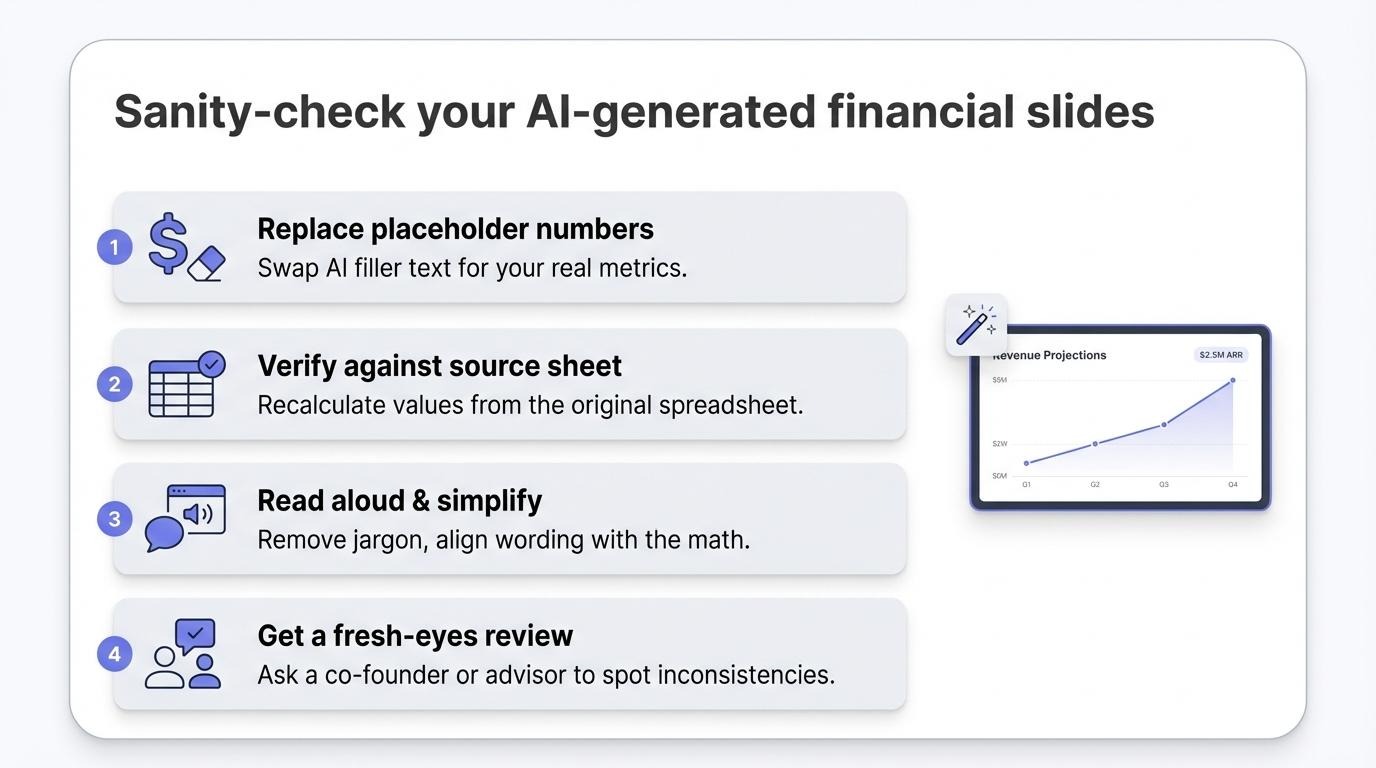
Start by replacing every placeholder figure the tool inserts. Some generators drop in “$5 million ARR” as filler. Swap in your real metrics right away, then reread the slide to confirm the wording still matches the math.
Next, trace each chart back to its source sheet. Copy values into a fresh range and recalculate percentages to verify nothing shifted during import. This five-minute audit catches rounding errors that can sink credibility.
Read the slide aloud. If you stumble over jargon or inflated claims, investors will too. Trim hype, clarify assumptions, and be ready to explain the driver behind every bump in the graph.
Finally, hand the deck to someone who did not build it, such as a co-founder, advisor, or sharp friend. Fresh eyes spot inconsistencies you might miss, like mismatched time frames between revenue and burn slides.
Run this loop once, lock the numbers, then export to PDF before sharing. You will enter the pitch knowing each digit can stand up to scrutiny, and the AI pitch deck tool will shine for the right reasons.
Templates vs. custom brand kits: what matters at each funding stage?
Seed rounds reward speed and clarity over pixel-perfect branding. A clean template from Slidebean or Canva tells investors you respect their time and understand the standard flow. Spend energy on traction numbers, not color theory.
Approaching Series A, expectations change. You are building a brand, not just a product. Consistent fonts, colors, and imagery signal maturity. Tools with brand kits such as Beautiful.ai, Canva Pro, or Plus AI inside your Slide master apply those rules automatically, so each update stays on brand without design debt.
Once the team grows, governance wins out. When many employees build decks, rogue slides appear. Enterprise add-ins like Templafy lock layouts and pull logos, disclaimers, and current metrics from approved libraries. Result: zero drift and no frantic fixes before the board meets.
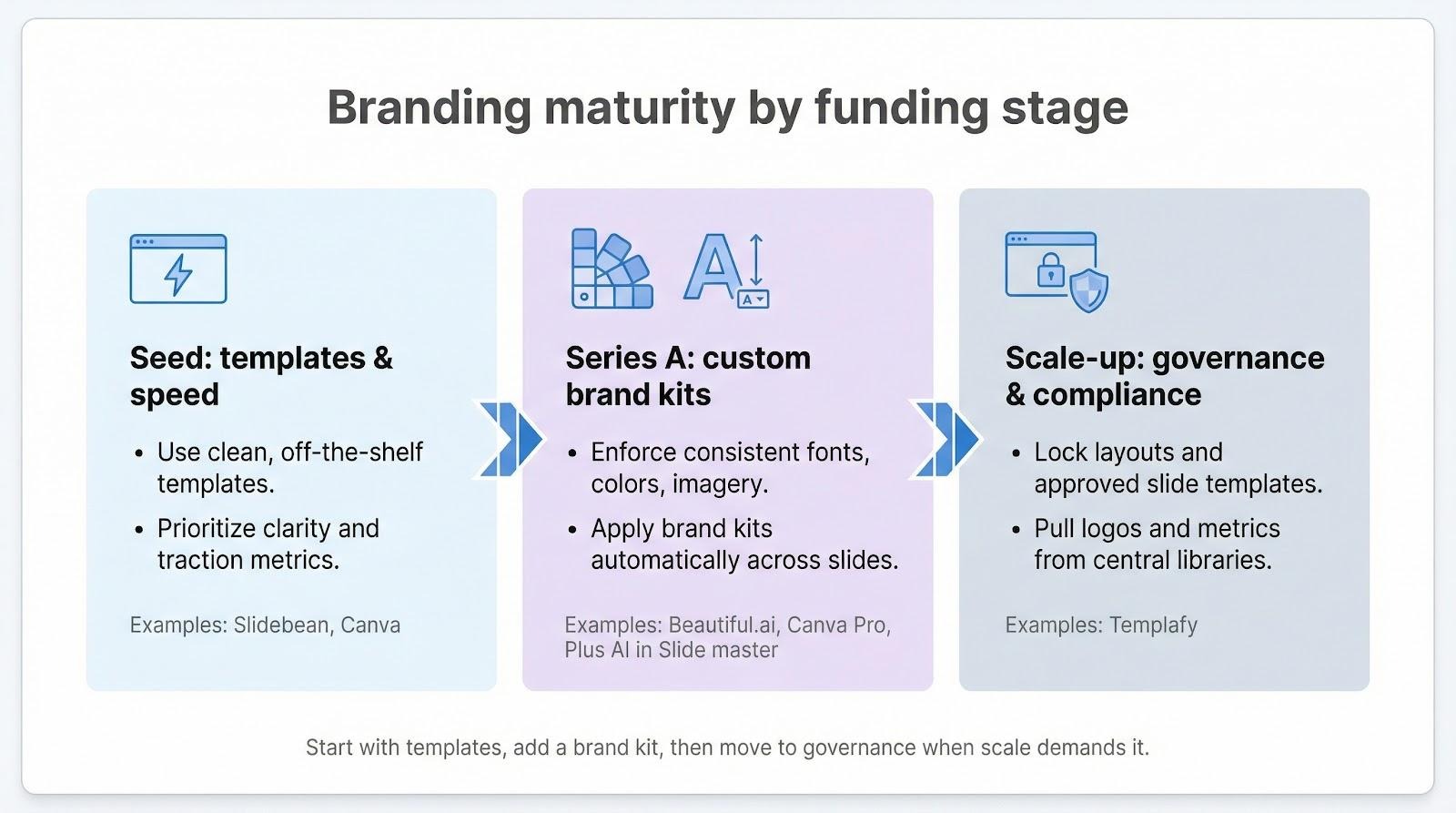
Takeaway: start with templates when you are scrappy, add a brand kit once your identity gels, and move to governance tools only when scale requires it. Match the AI pitch deck tool to your stage, and you will avoid both over-engineering and underwhelming your deck.
Data security cheat sheet: protect your numbers before you hit “generate”
Every AI pitch deck tool runs in the cloud, so your confidential metrics travel to someone else’s server. That is safe only when you follow a few basic rules.
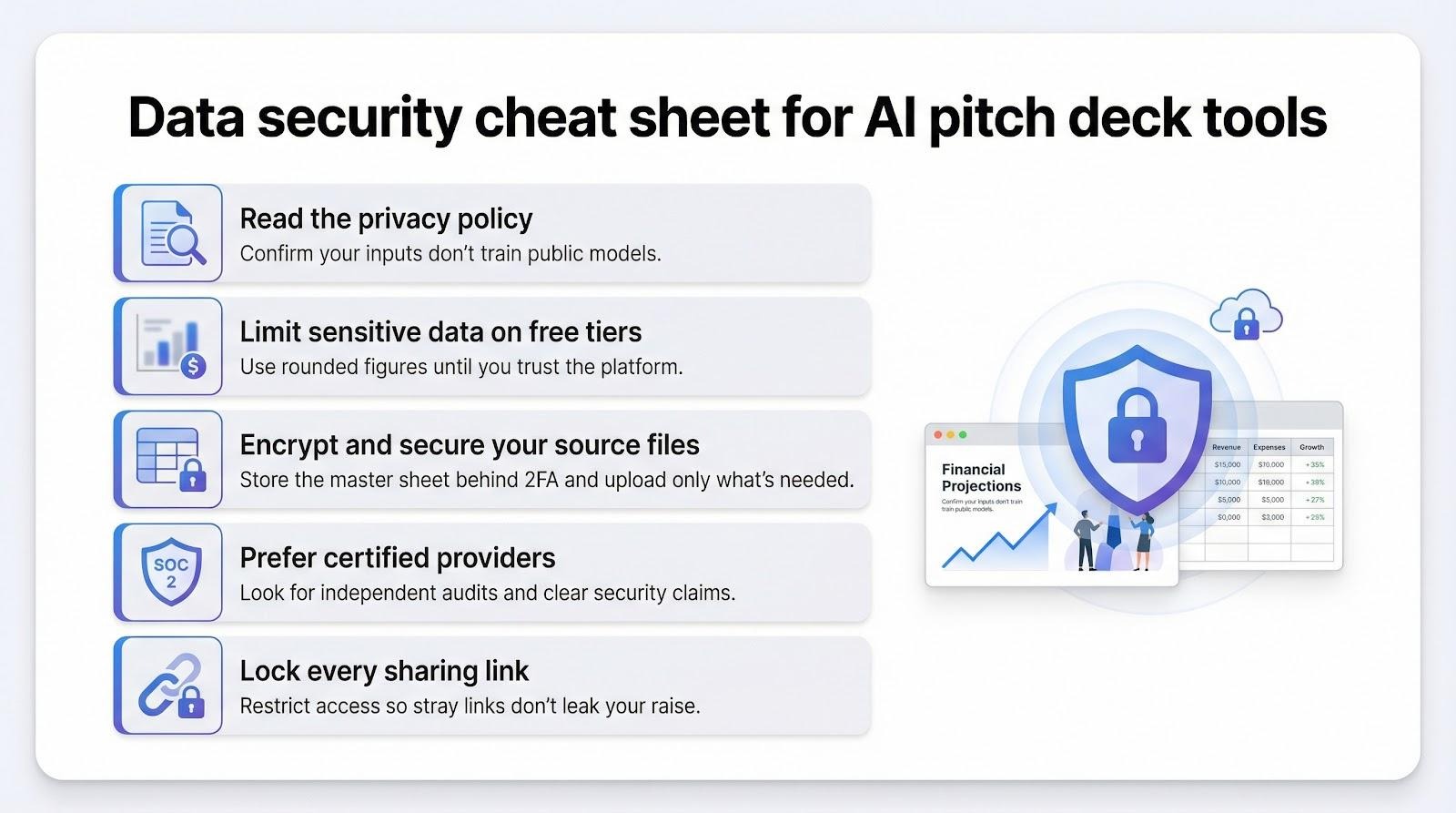
Read the privacy policy, not just the pricing page. Look for a clear promise that your inputs will not train public models. Plus AI, Pitch, and Beautiful.ai put that in writing. If a site stays vague, assume your data enters a shared pool.
Hide ultra-sensitive details on free tiers. Use rounded percentages instead of exact dollar amounts until you upgrade or switch to a platform with stronger guarantees.
Encrypt at home. Store the master spreadsheet in a drive folder protected by two-factor authentication, and upload only the view-only chart the deck requires, not the full workbook.
When compliance matters, such as in fintech or health, pick providers that display certifications. Templafy’s SOC 2 badge shows independent auditors have verified its controls, giving regulators confidence.
Lock every sharing link. Whether you use Storydoc or Canva, set a password or restrict viewers. One stray link in Slack can place your raise on Reddit within hours.
Follow these habits and your AI pitch deck tool stays a time saver, not a liability.
Conclusion
With the right AI assistant, you can draft an investor-ready pitch deck in minutes instead of days—without sacrificing financial accuracy or brand polish. Choose the tool that fits your stage, double-check every metric, and secure your data. Do that, and you will spend less time formatting slides and more time building the business those slides represent.
About the Author

Peter Makeshoff
Peter Makeshoff is the founder and main author of Designer Daily.