

Designers obsess over how a site looks, but how it performs is just as much a design decision. Page speed shapes first impressions, bounce rates, and whether visitors ever get far enough to appreciate your layout. On WordPress sites especially, years of accumulated plugins, scripts, and oversized images can quietly turn a beautiful design into a sluggish one.
That’s the problem the WP Expert Page Speed Test was built to solve. It’s a free tool that gives WordPress site owners a clear, graded picture of how their site actually performs, no technical expertise required.
What it does
The tool runs your page through a graded assessment built on the same benchmarks professionals rely on: Google Lighthouse, Web.dev, and HTTP Archive. Instead of a single arbitrary number, you get an A–F grade that shows exactly where your site stands, and where there’s room to improve.
When you run a test, it analyzes your page’s size and the resources it loads: scripts, styles, images, and files that every visitor has to download. This is often where the biggest speed problems hide, particularly on WordPress sites that have grown heavier over time.
How to run it
- Visit wp-expert.ch/tools/speed-test
- Enter your page details and click Run Graded Test
- The tool analyzes your page and prepares your report
The whole thing takes moments.
How you get your results
Your full graded report is delivered by email, to receive it, you subscribe to the WP Expert newsletter. Your report arrives within minutes (check your spam folder just in case), and your data is used only to generate your report and send the newsletter, per their privacy policy.
It’s a deliberate trade-off: it keeps the tool free while making sure people actually receive their report, along with practical WordPress tips to help them act on what they find.
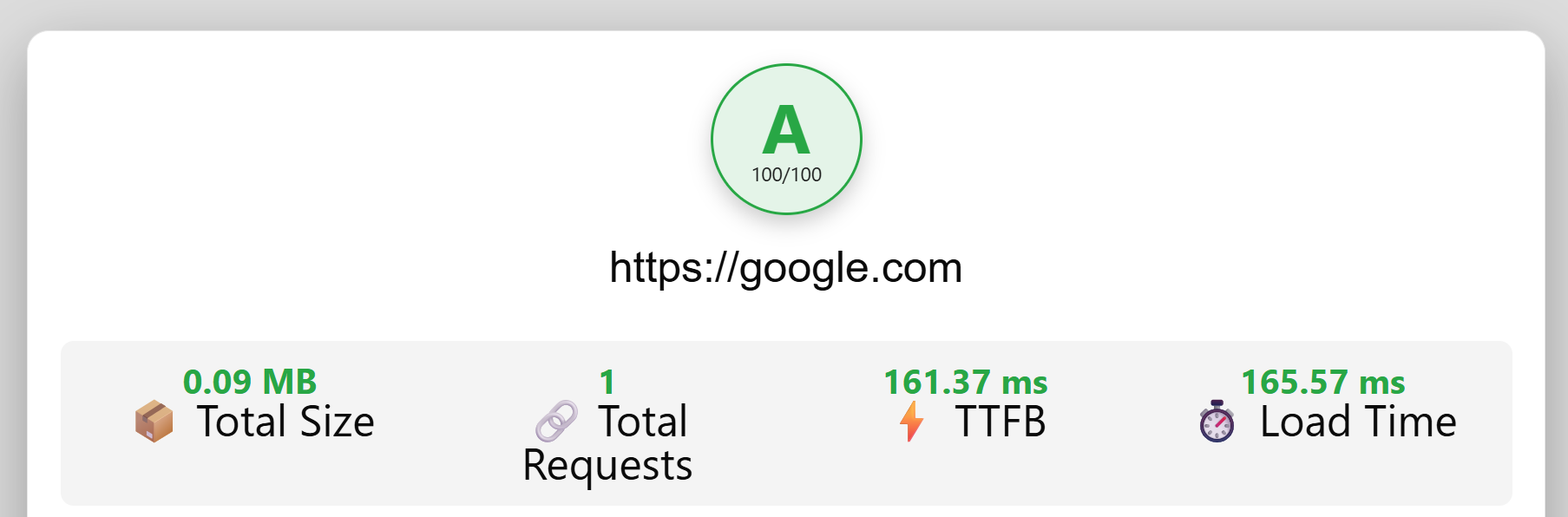
What your A–F grade means
Your page is graded from A (excellent) to F (needs serious work) against the Lighthouse, Web.dev, and HTTP Archive benchmarks. Whatever grade you get, the report highlights the areas that matter most, usually these culprits:
- Oversized images: the most frequent cause of slow WordPress pages
- Too many plugins and scripts: each one adds weight and requests
- Unoptimized hosting or caching: a fast site starts with a solid foundation
From report to real improvement
A grade is only useful if you act on it. WP Expert are WordPress specialists who can turn your report into real performance gains, from image and caching optimization to a full speed audit. If your report flags serious issues, reach out at social@wp-expert.ch or via WhatsApp on +41 (0)26 510 21 03.
Ready to see where your site stands? Run the free Page Speed Test now →
About the Author

Peter Makeshoff
Peter Makeshoff is the founder and main author of Designer Daily.