
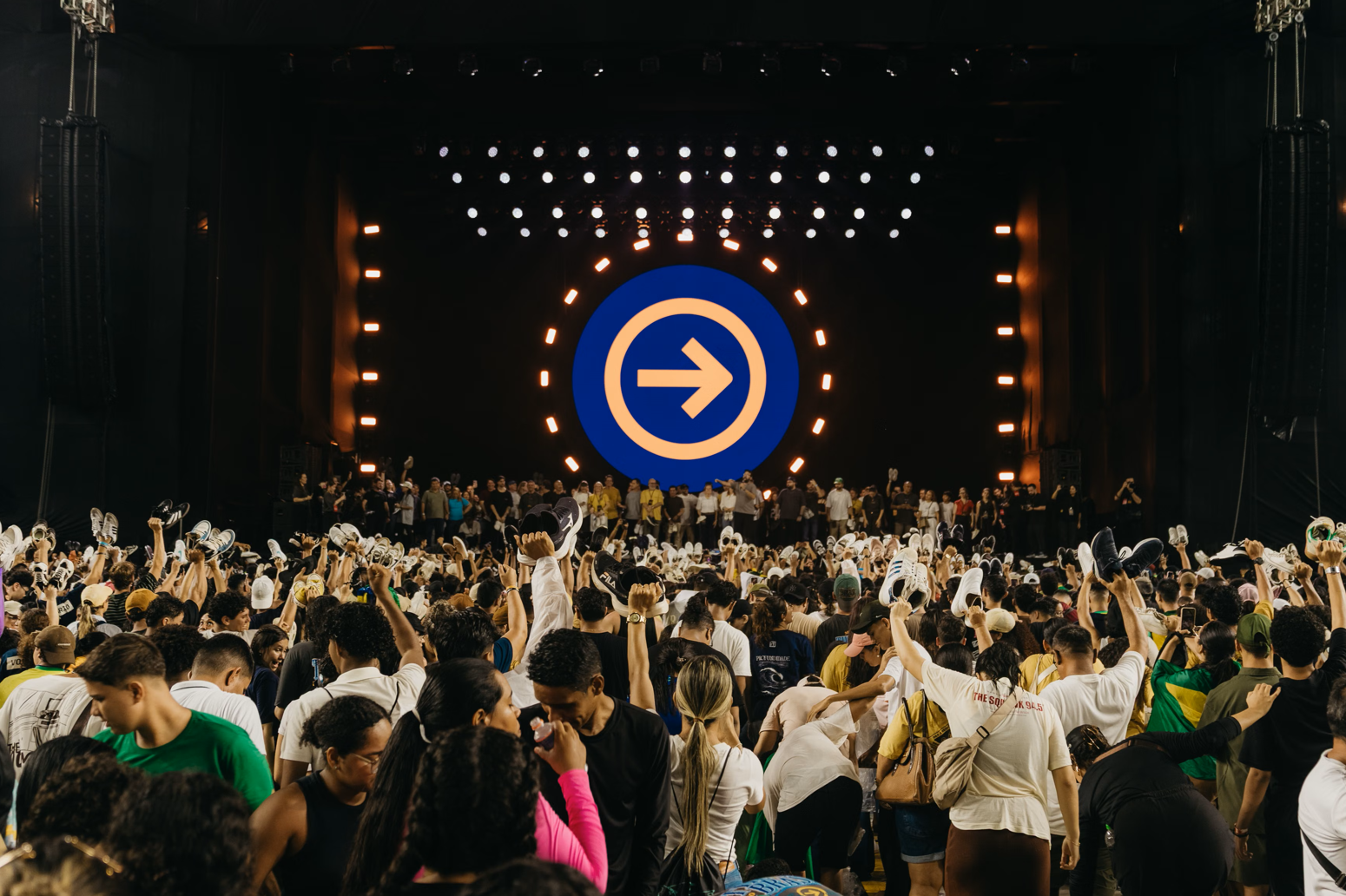
Getting more than 50,000 people through the gates of a stadium in under an hour sounds like chaos waiting to happen. Yet at well-run events, it rarely does. Successful event navigation doesn’t depend on luck or additional staff. However, it comes from thoughtful design decisions made well before attendees arrive and registration begins.
Even the smallest design choices, from walkway width to sign placement, influence how attendees move through a venue. They also determine where people gather and how easily visitors find their seats.
In this article, we’ll explore how thoughtful layouts, clear wayfinding, and efficient crowd flow make large events easier and more enjoyable to navigate.
Create Clear Entry and Exit Points
Position entrances where visitors can easily identify them, with separate pathways for registration, general admission, and staff access where practical. Similarly, provide clearly marked exits and directional signs that remain visible from different areas of the venue. Avoid placing furniture, displays, or temporary installations where they could obstruct these routes.
The Business of Events surveyed 1,000 recent event attendees and found that nearly one-third had visible or non-visible disabilities. Of these, 93% encountered participation barriers. Inaccessible layouts affected 28%, while 17% cited missing accessibility information. This highlights the need for clearly marked, accessible entry and exit points.
Integrate Temporary Equipment Without Disrupting the Layout
Large events need temporary equipment, including counters, display stands, barriers, and kiosks, to support operations. Poor placement can restrict walkways, reduce space, obstruct accessible routes, and disrupt venue aesthetics.
Before introducing additional equipment, organizers should assess the venue’s dimensions, visitor movement, and installation requirements. Equipment rentals let organizers choose practical solutions for event size and duration without purchasing permanent installations.
For example, event organizers may consider CEIA OPENGATE rentals when planning temporary entry arrangements requiring reliable weapons detection equipment. Because these slim, wireless pillars need no structural changes, planners can align them naturally with existing sightlines.
GXC Inc. notes that each OPENGATE system operates on battery power, eliminating the need for nearby electrical connections. A full set supports a 20-hour screening lane. This flexibility helps minimize layout disruptions.
Careful planning helps integrate necessary equipment while maintaining an organized, spacious, and welcoming environment for attendees.
Use Wayfinding to Reduce Visitor Confusion
Use clear signs, color-coded zones, maps, and landmarks to guide visitors toward registration desks, session rooms, restrooms, and refreshment areas. Maintain consistent symbols and terminology throughout the venue so attendees can easily follow directions. Digital maps and event apps can provide additional guidance, particularly in venues with multiple halls or floors.
Poor navigation quickly erodes the guest experience. Consider busy hospitals, where high volumes of visitors and staff are constantly moving through complex corridors. A study published by Sage Journals found that 57% of participants felt frustrated by wayfinding difficulties in complex spaces.
In addition, 44% encountered friction from disoriented visitors. Of those affected, roughly 90% experienced an average of 7.4 incidents within just one year.
Design Circulation Routes Around Visitor Movement
Plan pathways that connect entrances, exhibition areas, seating zones, food stations, and restrooms without creating unnecessary detours or bottlenecks. Consider expected visitor numbers, peak movement periods, and areas where people may stop to interact or gather. Keep main walkways sufficiently wide and avoid placing temporary displays or furniture where they could interrupt pedestrian movement.
Smart crowd pacing significantly improves venue circulation. A ScienceDirect study simulating San Mamés Stadium found that structured access guidelines streamline movement and reduce overall crowd density by roughly 20%. Also, adding a brief 2.5-second pacing interval at perimeter checkpoints decreases peak local congestion by nearly 80%, keeping pathways remarkably clear.
Make the Venue Accessible to Different Visitors
An inclusive event layout should accommodate visitors with different mobility and sensory needs. Provide step-free entrances, accessible pathways, designated seating, restrooms, and clear signage. Use high-contrast signs, readable maps, and audio or visual announcements. Keep pathways unobstructed and essential facilities easy to access.
Paula Rowntree, Head of Events at the Australian Psychological Society, explains in HQ Global Magazine that inclusive event design extends beyond basic accessibility requirements. She emphasizes accommodating physical, cognitive, and sensory needs. Organizers should provide readable signage, comfortable seating, quiet spaces, and clear information about accessible facilities.
Adapt the Layout to Changing Event Conditions
Large events rarely follow a completely fixed schedule. Changes in attendance, session timings, or activity requirements may call for adjustments to the venue layout. Organizers should incorporate flexible elements, such as movable furniture, modular partitions, and adaptable signage, to accommodate evolving needs.
Keep alternative pathways available and ensure essential facilities remain accessible when seating arrangements or activity zones change. Regularly assess visitor movement to identify areas requiring adjustments. A flexible layout allows organizers to respond efficiently while maintaining smooth navigation and a comfortable attendee experience.
Frequently Asked Questions
How can organizers guide visitors during unexpected changes?
Organizers can guide visitors during unexpected changes by updating digital signage immediately and dispatching mobile staff to key intersections. Clear, real-time push notifications through the event app also alert guests to route adjustments. Together, these coordinated cues prevent confusion and bottlenecks.
How can designers make unfamiliar venues feel easier to navigate?
Designers can make unfamiliar venues easier to navigate by using clear directional signs, color-coded zones, and recognizable landmarks. Wide, unobstructed pathways guide natural crowd flows without confusion. Accessible maps and visible entry or exit points help guests move with confidence.
When should event organizers use temporary installations?
Event organizers should use temporary installations when hosting short-term gatherings in multi-purpose venues lacking permanent infrastructure. They are ideal for managing fluctuating crowd sizes, creating flexible registration zones, or adding portable signage. Temporary setups ensure smooth navigation without permanent alterations.
Event Navigation and Accessibility at a Glance
| Attendees facing participation barriers | 93% |
| Event attendees with visible or non-visible disabilities | Nearly 1 in 3 |
| Attendees affected by inaccessible layouts | 28% |
| Attendees citing missing accessibility information | 17% |
| Participants frustrated by wayfinding difficulties | 57% |
| Participants encountering disoriented visitors | 44% |
| Average wayfinding-related incidents per affected participant annually | 7.4 |
Thoughtful Design Creates a Better Event Experience
Making large events easier to navigate requires more than placing signs around a venue. It involves thoughtful decisions about entrances, circulation routes, accessibility, temporary equipment, and flexible layouts. Each element contributes to how comfortably attendees move between activities and access essential facilities.
By understanding visitor behavior and anticipating changing event requirements, organizers can create spaces that feel intuitive, welcoming, and well-organized. When people can find their way without confusion or unnecessary delays, they can spend less time navigating the venue and more time enjoying the event.
About the Author
Peter Makeshoff
Peter Makeshoff is the founder and main author of Designer Daily.