
Your design career is built on a foundation of countless clicks, scrolls, and hours of focused tension. Without the right physical foundation, this work extracts a steep tax: chronic pain, repetitive strain injuries (RSI), and fatigue that erodes both your craft and your longevity. An ergonomic setup is not a luxury or a tax write-off. It is critical professional equipment, as essential as your computer or software license.
This is a non-negotiable audit of the gear that protects the single most important tool in your studio: your body.
The Philosophy: Proactive Protection, Not Reactive Treatment
You cannot design your best work when you’re in pain. Investing in ergonomics is an investment in your focus, your output quality, and the longevity of your career. It’s about designing your environment to fit you, not contorting yourself to fit a poor environment.
The Essential Gear Audit
1. The Foundation: A True Ergonomic Chair
The $200 “executive” chair is a career-ending injury packaged in fake leather. A true ergonomic chair is a dynamic support system that moves with you.
What to Look For:
- Lumbar Support: Adjustable in both height and depth to perfectly fit the inward curve of your spine.
- Seat Pan Adjustment: Allows you to adjust depth so there’s a 2-3 finger gap between the seat edge and the back of your knees.
- Armrests: Adjustable in height, width, and pivot. They should allow your shoulders to relax and your elbows to rest at a 90-110 degree angle.
- Recline Tension: A mechanism that lets you lean back with support, changing your posture throughout the day.
The Benchmark: Herman Miller Sayl Chair
While the Aeron is the icon, the Sayl offers Herman Miller’s pioneering ergonomic science in a more accessible, design-forward package. Its intelligent back support is based on a bridge’s suspension design, providing exceptional lumbar and shoulder support that encourages healthy posture without rigidity. It’s the investment that pays dividends for 12+ years, are you going to invest in it?
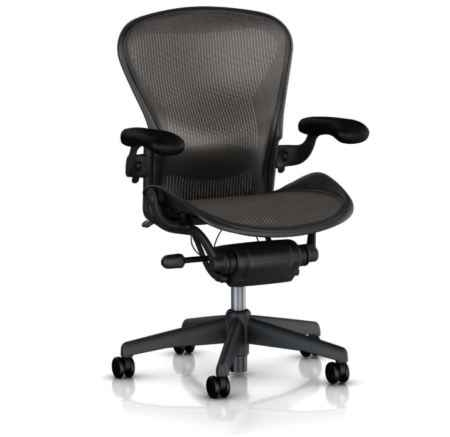
Explore: Herman Miller Sayl Chair
2. The Input Revolution: A Vertical Ergonomic Mouse
The traditional mouse forces your forearm into a “handshake” position (pronation), twisting nerves and tendons in the carpal tunnel. A vertical mouse keeps your hand in a neutral “handshake” position.
Why It’s Critical: It can immediately alleviate pressure on the median nerve, reducing the risk of carpal tunnel syndrome and forearm fatigue. The learning curve is about one hour, after which it feels completely natural.
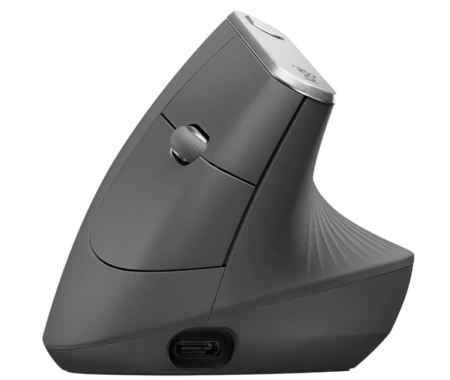
Top Performer: Logitech MX Vertical
The Logitech MX Vertical is the gold standard. It’s designed at a natural 57-degree angle to reduce wrist strain by up to 10%. It features Logitech’s premium tracking, multi-device flow capability, and customizable buttons. This isn’t a medical device; it’s a high-performance tool that also happens to save your tendons and is available for sale on Amazon.
3. The Liberation Device: A Monitor Arm
Your neck and shoulders are not designed to crane downward for 8 hours a day. A monitor arm liberates your screen from the desk, allowing infinite adjustment.
What It Solves:
- Eye-Level Positioning: The top of your screen should be at or slightly below eye level. This is almost impossible with a stock stand.
- Dynamic Movement: You can easily pull the screen closer for detail work or push it back for a full-layout view, and effortlessly switch between sitting and standing.
- Desk Space: It clears a massive amount of valuable real estate on your desk.
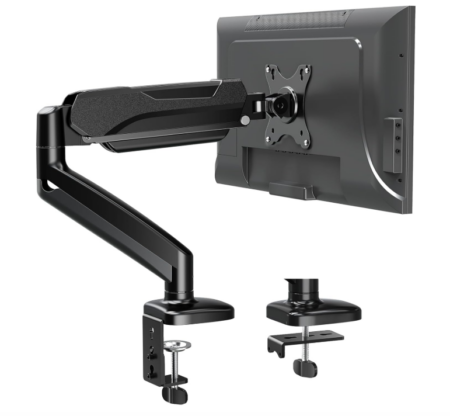
The Workhorse: Amazon Basics Monitor Arm
You don’t need to spend a fortune. The Amazon Basics Premium Single Monitor Stand offers gas-spring-assisted smooth adjustment, full articulation (tilt, swivel, rotation), and a clean cable management system for a fraction of the cost of branded alternatives. It’s robust, reliable, and performs its one job perfectly. Get it here!
4. The Unsung Hero: A Split, Tented Keyboard
Like the mouse, a traditional keyboard forces ulnar deviation (hands bending outward). A split, tented keyboard allows your hands to align with your forearms.
The Benefit: It dramatically reduces strain on the wrists, forearms, and shoulders. The tenting angle (raising the middle) further promotes a neutral hand position.
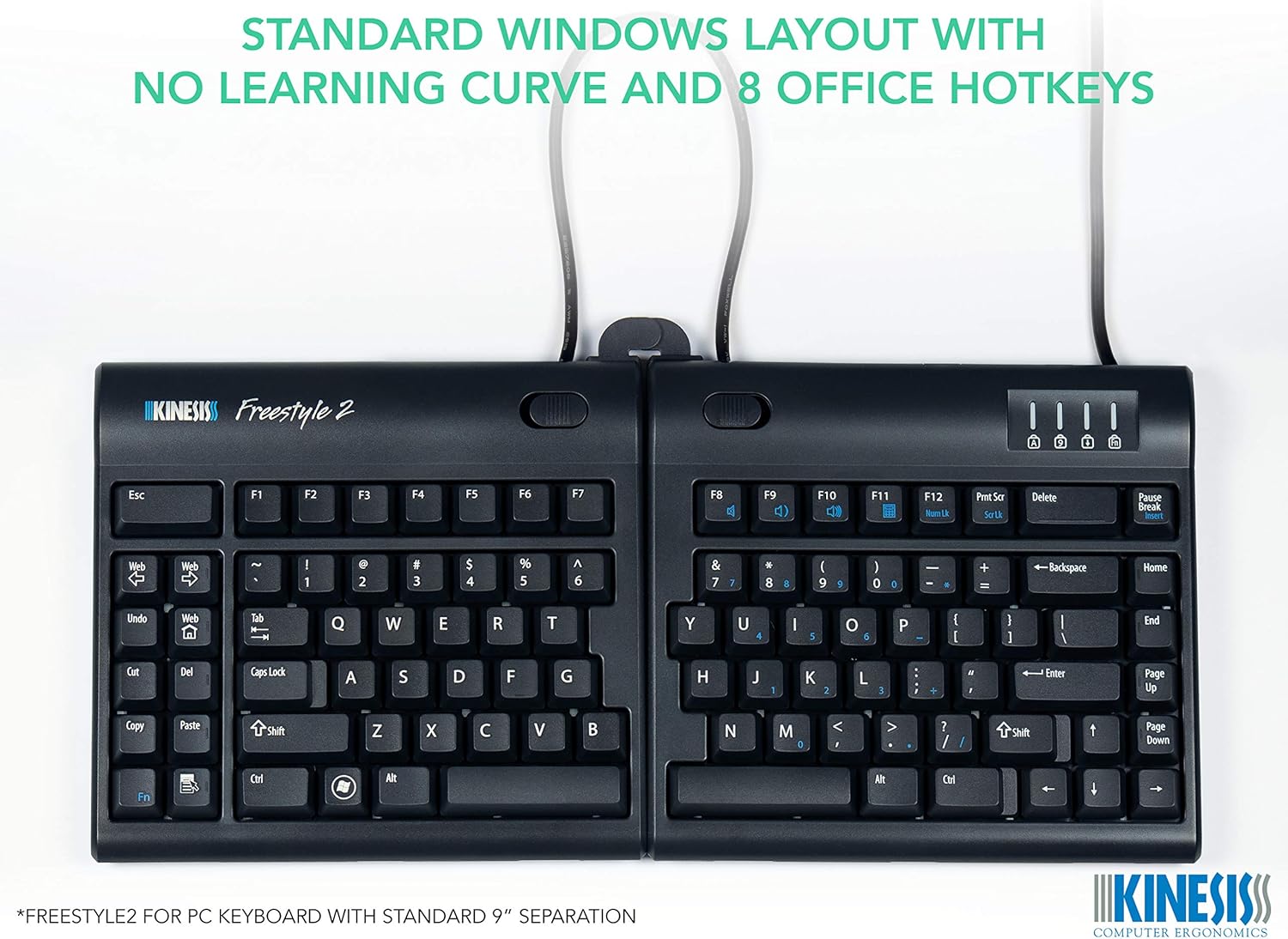
Recommendation: Kinesis Freestyle2
For those ready to commit, the Kinesis Freestyle2 is a superb entry into ergonomic keyboards. The two halves can be split shoulder-width apart and tented up to 30 degrees. The learning curve is minimal, and the relief for your shoulders is profound. Find it here.
5. The Final Touch: Stable Foot Support
If your feet are dangling or improperly positioned, your entire posture chain is compromised.
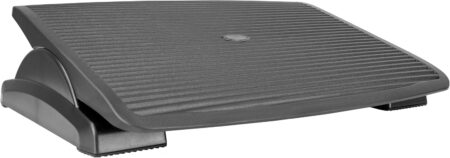
The Solution: A Footrest
A simple, angled footrest encourages proper pelvic tilt and improves circulation. It’s especially crucial if your chair height is set correctly and your feet don’t flatly reach the floor. This one is good.
The 5-Point Posture Checklist
Once your gear is in place, use this daily checklist:
- Feet: Flat on the floor or footrest.
- Knees: At or slightly below hip level, with space behind the knee.
- Back: Fully supported by the chair’s lumbar mechanism.
- Elbows: At 90-110 degrees, resting lightly on armrests.
- Eyes: Level with the top third of your monitor, about an arm’s length away.
The Return on Investment
This gear represents a significant upfront investment, but the ROI is calculable:
- Preserved Income: Avoiding even one week of lost work due to severe RSI covers a large portion of the cost.
- Enhanced Focus: Discomfort is a constant cognitive drain. Removing it increases deep work capacity.
- Career Longevity: You are protecting your ability to do this work for decades, not just years.
Your talent is housed in your body. This gear is the maintenance plan. Conduct your ergonomic audit today, your future self will draft a thank-you note in perfectly laid-out type, free of pain.
About the Author

Peter Makeshoff
Peter Makeshoff is the founder and main author of Designer Daily.