
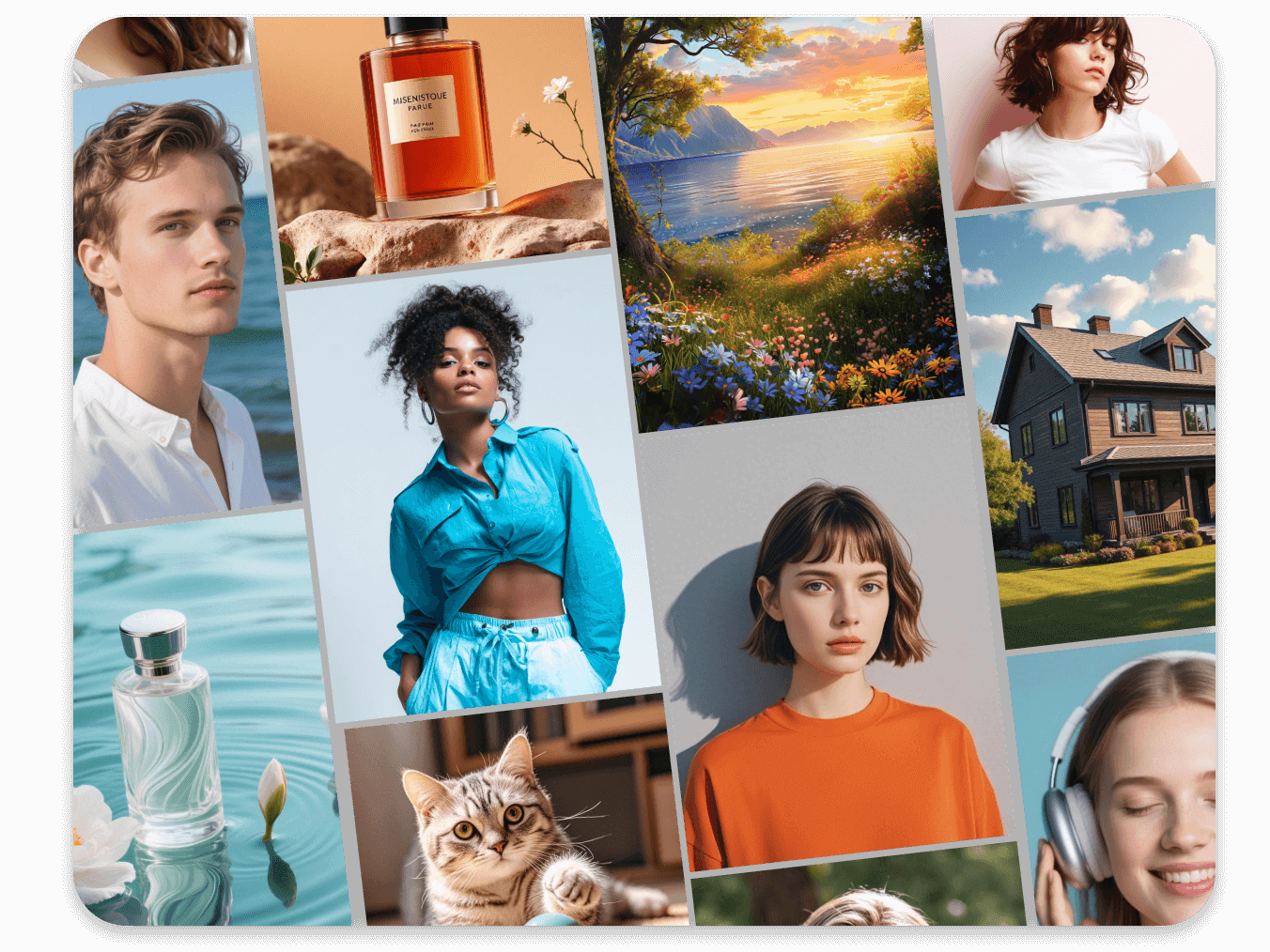
Every designer has faced this: you need a specific hero image—a diverse team in a futuristic office, a product that doesn’t exist yet, a scene that would cost thousands to photograph—and stock sites offer only generic approximations. This is where AI photography becomes not just convenient, but revolutionary.
The AI Photography Toolkit
Midjourney v6+ (Photorealism champion)
- Best for: Convincing people, realistic scenes, artistic photography styles
- Key parameter:
--style rawfor less artistic, more literal interpretation
DALL-E 3 (Precision & text)
- Best for: Scenes requiring specific text elements (signs, computer screens)
- Strength: Best at following complex, multi-element prompts exactly
Leonardo.ai (Free tier available)
- Best for: Fine-tuned control over realism, great for products
- Feature: “Alchemy” mode enhances realism significantly
Stable Diffusion + ControlNet (Advanced, local)
- Best for: Complete control, using pose references, consistent characters
- Learning curve: Steep, but unparalleled precision
Mastering the Photorealistic Prompt
The difference between “a photo” and “a convincing photo” is in the details:
Amateur prompt:
“A business team meeting”
Professional prompt:
“Professional photography of a diverse team of four people in their 30s collaborating in a modern startup office, natural morning light from floor-to-ceiling windows, one person writing on glass whiteboard, others looking engaged, shallow depth of field, shot on Sony A7III with 85mm lens, cinematic lighting, dynamic composition, hyper-detailed, realistic skin textures, 8k –style raw –ar 16:9”
Key elements to always include:
- Shot type: “Close-up product shot,” “wide angle interior,” “medium portrait”
- Camera & lens: “Shot on Hasselblad medium format,” “85mm portrait lens”
- Lighting: “Golden hour sunlight,” “soft studio lighting,” “dramatic chiaroscuro”
- Style: “Cinematic,” “documentary style,” “fashion editorial”
- Technical: “Hyper-detailed,” “realistic textures,” “professional color grading”
- Parameters:
--style raw(Midjourney),--ar 16:9(aspect ratio)
Solving Real Client Problems
Scenario 1: The Non-Existent Product
Client has a CAD model of a new gadget but no physical prototype.
Workflow:
- Export clean renders of the product from multiple angles
- Prompt: “Professional product photography on a white background, clean studio lighting, focused on , hyper-realistic materials, metallic finish, 8k product shot”
- Or place the render in a scene: “The sitting on a designer’s desk in a modern home office, morning light, lifestyle shot”
- Use in pitch decks, website, crowdfunding campaigns
Scenario 2: Impossible Demographics
Client needs images featuring very specific demographics that stock doesn’t cover.
Workflow:
- Prompt: “Professional portrait of a 65-year-old Latina doctor using a tablet in a clinic, warm compassionate expression, documentary style photography, natural light”
- Generate multiple options
- Use for healthcare client’s marketing materials
Scenario 3: Consistent Character Across Scenes
The biggest challenge in AI photography.
Solution:
- Generate your perfect character, save the seed number (e.g.,
--seed 1234) - For subsequent images: “Same woman as in [image URL], but now cooking in home kitchen, lifestyle photography”
- Still inconsistent? Use face-swapping tools or Photoshop’s Generative Fill to adjust
The Complete “Unshootable” Image Workflow
Project: Tech startup needs hero images for their homepage showing their app “in the wild”
Step 1: Art Direction
- Determine: 5 scenes needed (coffee shop, office, commute, home, park)
- Style guide: Bright, authentic, diverse people, app visible but not dominant
Step 2: Batch Generation
Create a prompt template:
“Authentic lifestyle photography of a [demographic] person using a smartphone with [app name] app visible on screen, at [location], [time of day] light, joyful authentic expression, shot on iPhone 14 Pro, social media style, candid –ar 16:9 –style raw”
Run this 5 times with different demographics/locations.
Step 3: Curation & Editing
- Select best 2-3 per scene
- Basic edits in Lightroom/Photoshop
- Ensure app screen is legible (may need to composite)
- Check for AI artifacts (strange hands, weird text)
Step 4: Client Delivery
Present as “AI-generated photography, custom for your brand” with explanation of the process and commercial usage rights.
Ethical Disclosure Framework
When you MUST disclose:
- Photorealistic people who don’t exist
- Documentary/journalistic contexts
- Any representation of real professionals (doctors, lawyers)
- Before-and-afters that might mislead
When you can be more flexible:
- Backgrounds/scenes without people
- Abstract/textural elements
- Clearly stylized/artistic images
Client script:
“These images were generated using AI to create exactly the scenes we needed. They feature model-released, AI-generated people in custom environments. This allowed us to get perfect demographic representation and settings without the cost and time of a traditional shoot.”
Pricing AI Photography
Don’t charge less because it’s “just AI.” Charge appropriately for:
Value-based pricing factors:
- Exclusivity (they own these specific images)
- Perfect alignment with brand
- Speed to market
- No model/property releases needed
- Commercial licensing included
Sample pricing:
- $200-500 per final AI-generated hero image
- $1,000-2,500 for a set of 5-7 cohesive images
- Compare to: $5,000-20,000 for a traditional shoot
Advanced Technique: AI + Real Photos
- Take your own location photos (a coffee shop, an office)
- Use Photoshop Generative Fill to:
- Add people (with correct lighting/shadows)
- Change time of day
- Add/remove objects
- Result: 90% real photo, 10% AI, 100% usable
Your AI Photography Checklist
Before delivering any AI-generated photo:
- No obvious AI artifacts (6 fingers, weird text)
- Lighting is consistent throughout image
- Colors match brand palette
- Appropriate disclosure to client
- Commercial usage rights confirmed
- Metadata includes “AI-generated” keyword
- You have alternative options if client has concerns
Action Steps
- Practice writing 5 detailed photographic prompts
- Create a “prompt library” for your most common needs (team photos, product shots, etc.)
- Generate a sample set for your portfolio showing before/after editing
- Update your service offerings to include “AI-generated custom imagery”
AI-generated photography isn’t replacing photographers—it’s creating an entirely new category of visual asset. As a designer, you’re now also an art director, set designer, casting director, and photographer, all without leaving your desk.
About the Author

Peter Makeshoff
Peter Makeshoff is the founder and main author of Designer Daily.