
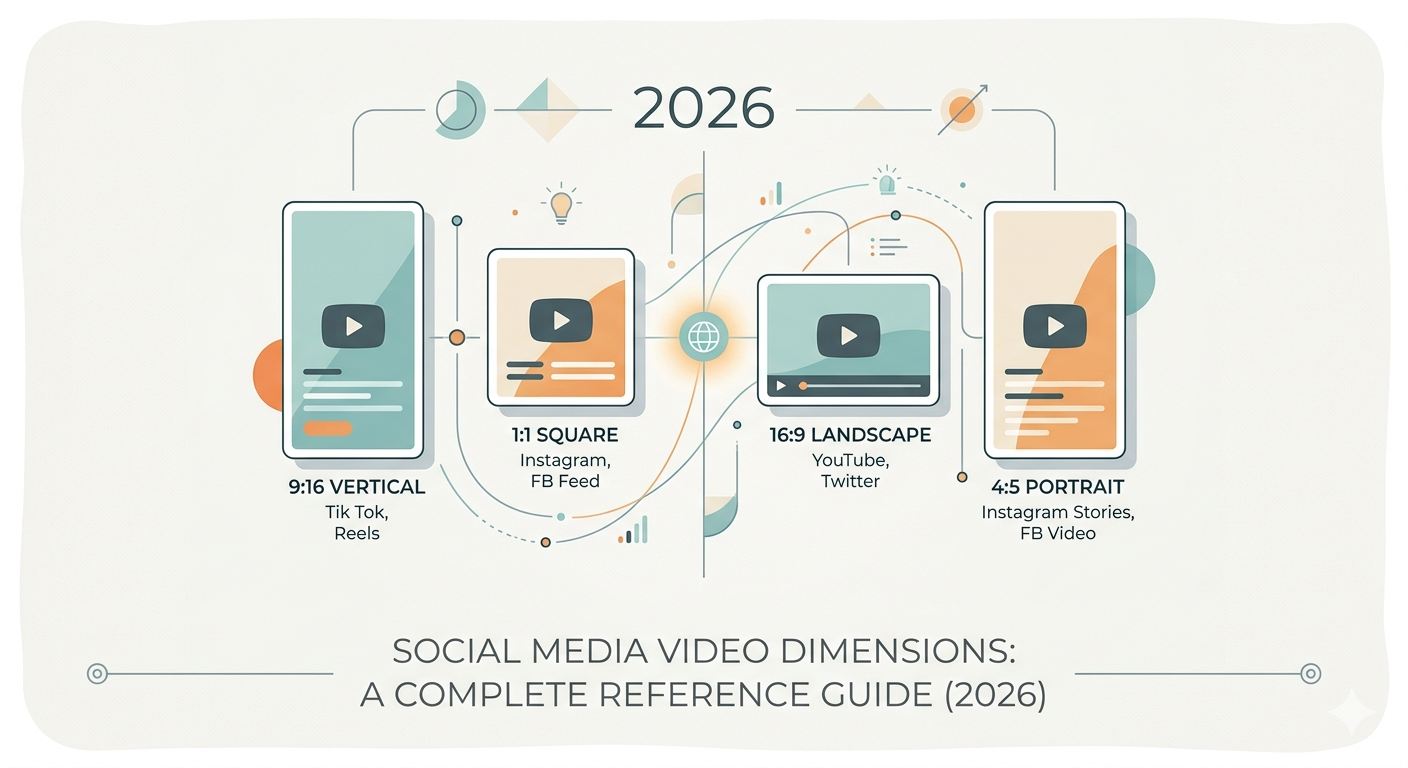
Social media platforms have fully embraced vertical video. Knowing the right dimensions isn’t just about avoiding black bars, it directly affects how the algorithm treats your content. A video formatted for the wrong placement may be cropped, deprioritized, or simply ignored.
Here is your complete reference guide to social media video dimensions for 2026.
TikTok: The 9:16 Standard
TikTok pioneered the vertical video revolution, and its specifications remain the baseline for short-form content. The platform’s algorithm actively prioritizes videos shot in native 9:16 portrait mode.
Core specifications:
- Resolution: 1080 x 1920 pixels (minimum, but recommended)
- Aspect ratio: 9:16 (vertical)
- File formats: MP4 or MOV
- Frame rate: 30 FPS or higher
- Maximum video length: 60 minutes for uploaded videos; 10 minutes for in-app recording
- File size limit: 72 MB via app; up to 1 GB for ads and auto-publishing
- Best performing length: 11–18 seconds for virality; 21–34 seconds for storytelling
TikTok overlays UI buttons (like, comment, share, follow) on the right and bottom edges of the screen. Keep your main subject and any critical text centered to avoid obstruction. For live streams, TikTok recommends keeping sessions under 30 minutes, though longer streams are possible.
Instagram: Reels, Stories, and Feed
Instagram has fully aligned with video-first consumption. Reels, Stories, and feed posts each have distinct requirements.
Instagram Reels
Reels are Instagram’s primary short-form video format, now supporting content up to 20 minutes long. Instagram allows Reels with aspect ratios between 1.91:1 and 9:16, but the 9:16 format fills the screen most effectively.
- Resolution: 1080 x 1920 pixels
- Aspect ratio: 9:16
- Cover photo: 9:16 aspect ratio
- Maximum length: Up to 20 minutes (3 minutes recommended for reaching new audiences)
- File size limit: 4 GB
- Frame rate: Minimum 30 FPS
Like TikTok, Instagram’s interface can cover up to 30% of the screen with buttons and captions. Use safe zone templates to ensure critical elements remain visible.
Instagram Stories
Stories are designed for quick, ephemeral updates. They disappear after 24 hours.
- Resolution: 1080 x 1920 pixels
- Aspect ratio: 9:16
- Maximum length: 60 seconds per story slide
- File size limit: 4 GB
Instagram Feed (In-Feed Video)
Feed videos appear in users’ main scrolling interface. The 4:5 aspect ratio (portrait) is now preferred as it occupies more screen real estate than square or landscape formats.
- Resolution: 1080 x 1350 pixels (portrait)
- Aspect ratio: 4:5 (portrait), 1:1 (square), or 16:9 (landscape)
- Maximum length: 60 minutes
- File size limit: 4 GB
YouTube: Shorts vs. Standard
YouTube now maintains two distinct video ecosystems: Shorts (vertical, short-form) and Standard (horizontal, long-form). Each has dedicated specifications.
YouTube Shorts
Shorts are YouTube’s answer to TikTok, with a maximum length of 3 minutes.
- Resolution: 1080 x 1920 pixels (minimum)
- Aspect ratio: 9:16
- Maximum length: 180 seconds (3 minutes)
- Size limit: 10 MB to 256 GB (varies by account verification)
- Thumbnail size: 1280 x 720 pixels
Shorts that do not use the 9:16 aspect ratio will be cropped or displayed with black bars, which reduces engagement potential.
Standard YouTube Videos
Standard YouTube videos remain horizontal, optimized for desktop viewing and longer content.
- Resolution: 1920 x 1080 pixels (1080p minimum)
- Aspect ratio: 16:9
- Maximum length: Up to 12 hours for verified accounts
- Size limit: 256 GB
YouTube supports square (1:1) and vertical (9:16) formats as well, but they will display with black bars on either side when viewed on desktop.
Facebook: Feed, Stories, Reels, and Video Feeds
Facebook has adopted Instagram’s video-first approach, with Reels now serving as the primary short-form destination.
Facebook Feed
- Aspect ratio: 1:1 (for desktop or mobile) or 4:5 (mobile only)
- Minimum resolution: 1080 x 1080 pixels
- Max length: Up to 241 minutes
- Max file size: 4 GB
Facebook feed videos default to a sound-off experience. Captions are essential, without them, vital information will be missed.
Facebook Reels
- Aspect ratio: 9:16
- Minimum resolution: 1440 x 2560 pixels
- Max length: No stated limit
- Max file size: 4 GB
Facebook Reels do not support automated captioning, so captions must be burned directly into the video.
Facebook Stories
- Aspect ratio: 9:16
- Minimum resolution: 1080 x 1080 pixels
- Max length: 2 minutes (split into 15-second cards)
- Max file size: 4 GB
Do not place text or logos in the top or bottom 250 pixels of Stories. Profile icons and CTAs will cover these areas.
LinkedIn: Professional Video
LinkedIn has expanded its video offerings to include both long-form content and short-form vertical videos.
- Aspect ratios: 9:16 (portrait), 1:1 (square), or 16:9 (landscape)
- Resolution: 1080p recommended; minimum 360p
- Max length: 30 minutes (15–30 seconds is recommended for ads)
- File size limit: 200 MB (ads), up to 5 GB (organic)
LinkedIn users scroll with sound off by default (approximately 80%). Captions are critical for engagement, and content should be tailored to a professional audience with clear value.
X (Twitter): Quick and Looping
X supports video across feed placements, with tighter length limits than other platforms.
- Recommended resolutions: 1280 x 720 (landscape), 720 x 1280 (portrait), 720 x 720 (square)
- Aspect ratios: 16:9, 1:1, 3:4
- Max length: 140 seconds
- File size limit: 512 MB
The Safe Zone Principle
Every platform overlays UI elements, profile icons, like buttons, captions, share tools, over your video. The safest approach is to keep critical information (faces, text, logos) centered in the middle 70% of the frame. The top and bottom edges and the right side are the most likely to be obstructed.
For Reels and Stories specifically, avoid placing anything important in the bottom 250 pixels where comment boxes and action buttons appear.
Final Checklist
Before exporting any social video, verify these three items:
- Aspect ratio matches the placement. A 9:16 video intended for Reels will be aggressively cropped if uploaded to a 16:9 feed.
- Text is within safe zones. If your main headline appears on the right edge of a Reel, no one will see it.
- Captions are present. Most platforms default to sound-off. Provide captions for any audio-dependent information.
Use this guide to pre-set your export settings. The extra 30 seconds of verification prevents the lost engagement of a repost.
About the Author

Peter Makeshoff
Peter Makeshoff is the founder and main author of Designer Daily.