
The blank page problem is real. Client says “surprise me”, you stare at an empty artboard, and the clock ticks. This is where AI transforms from a novelty to a genuine creative partner.
Your AI Graphic Design Toolkit
Midjourney ($10-60/month)
- Best for: Highly stylistic, artistic exploration
- Strength: Unmatched at creating “mood” and unique visual styles
- Weakness: Less predictable for precise, clean logo marks

DALL-E 3 (via ChatGPT Plus, $20/month)
- Best for: Literal interpretation of text, incorporating text into images
- Strength: Follows prompts extremely accurately
- Weakness: Less distinctive “style” compared to Midjourney
Adobe Firefly (Included with Creative Cloud)
- Best for: Ethical commercial work, extending existing designs
- Strength: Trained on Adobe Stock (licensed content), integrates seamlessly with Photoshop/Illustrator
- Weakness: Less powerful for purely imaginative work
Looka/Brandmark (AI logo generators)
- Best for: Rapid client presentation options
- Strength: Outputs clean, vector-style logos immediately
- Weakness: Generic results without significant modification
A Practical Workflow: Logo Development in Half the Time
Phase 1: Rapid Concept Generation (30 minutes instead of 3 hours)
Instead of sketching 10 concepts by hand, use a prompt like:
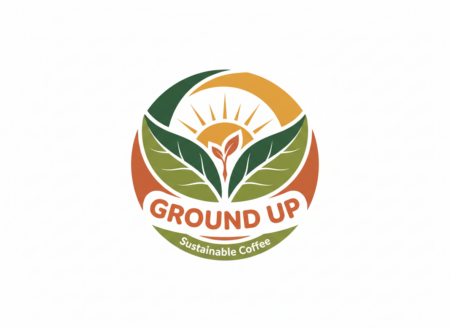
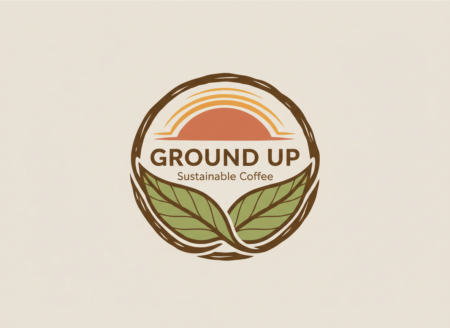
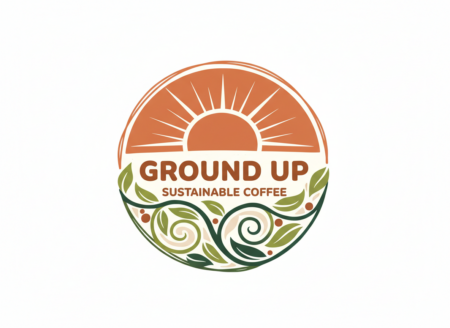
“A logo mark for a sustainable coffee shop called ‘Ground Up.’ Organic shapes, circular composition, incorporating coffee plant leaves and a rising sun. Modern, friendly, earthy color palette. Vector art style.”
Feed this to Midjourney or DALL-E and generate 30-50 variations in minutes. Look for:
- Interesting shape relationships you hadn’t considered
- Unexpected color combinations that work
- Stylistic approaches (line art vs. solid forms vs. negative space)

Phase 2: From Inspiration to Original Art
Here’s the crucial step that maintains your creative integrity:
- Screenshot your favorite 5-10 AI concepts
- Place them on a mood board in Figma or your design software
- Sketch over them physically or digitally, taking the core idea but making it your own
- Build the final in Illustrator, using the AI output as a reference, not a template
Example transformation:
- AI generates a circular logo with abstract leaves
- You notice the negative space between leaves could form a coffee cup handle
- You sketch this relationship more intentionally
- Your final vector logo has the AI’s organic feeling but a clever, original twist
Prompt Crafting for Designers
Bad prompt: “A logo for a law firm”
Better prompt: “A professional wordmark for ‘Cedar & Stone Law Partners,’ classic serif typography, conveying trust and stability, navy blue and gold, suitable for embossing on letterhead”
Advanced technique: Style References
In Midjourney, use the --sref parameter with an image URL of a style you admire. Want your brand system to feel like Swiss modernism? Reference a Josef Müller-Brockmann poster. The AI will interpret the composition, color usage, and typographic approach without copying.
Case Study: Real Client Project
Client: “Urban Roots,” a plant store targeting millennials
Old process: 8 hours of sketching, 3 rounds of revisions
New AI-enhanced process:
- Prompt used: “Plant store logo, monstera leaf pattern forming a U shape, terracotta and sage green colors, friendly but sophisticated, organic modern style”
- AI generated: 48 options in 15 minutes
- Client presentation: Showed 6 AI concepts + 2 hand-sketched directions inspired by them
- Result: Client loved a concept where leaves formed a geometric pattern (AI idea), but wanted it more minimalist (your expertise)
- Time saved: 4 hours in the concept phase
Typography Pairing with AI
Fontjoy.com uses machine learning to suggest font combinations. While not perfect, it’s excellent for breaking out of your usual pairing habits.
Better yet, use ChatGPT:
“Suggest 3 font pairings for a tech startup targeting creative professionals. Primary font should be clean and modern, secondary should have personality. Include one Google Font option for each.”
The Ethical Commercial Use Checklist
Before delivering any AI-influenced work:
- Have I added significant original design work?
- Is the final product distinctly different from the AI output?
- Have I documented my creative process (screenshots of iterations)?
- Does my contract allow for AI-assisted work?
- Am I pricing this appropriately (faster process ≠ less value)?
Remember: AI isn’t designing for you. It’s giving you a thousand starting points so you can design smarter and faster. Your expertise turns those starting points into finished, professional work that delights clients.
About the Author

Peter Makeshoff
Peter Makeshoff is the founder and main author of Designer Daily.